The short answer
Surfer optimises a draft against the pages currently ranking. QueryClimb decides what to publish from your own Search Console, then publishes and tracks it. Buy Surfer if you have a writer and a competitive SERP to beat; buy QueryClimb if you run a Shopify store and nobody has ten hours a week.
We make QueryClimb, so read this with that bias in mind. Surfer is an excellent product and the market leader in its lane for good reasons, and this is not a hit piece; for some readers the right answer below is plainly “buy Surfer”. The comparison is worth writing because the two tools overlap far less than their shared “SEO content” label suggests, and buying the wrong one wastes months. All prices were checked against Surfer’s published pricing on 21 August 2026.
The short version
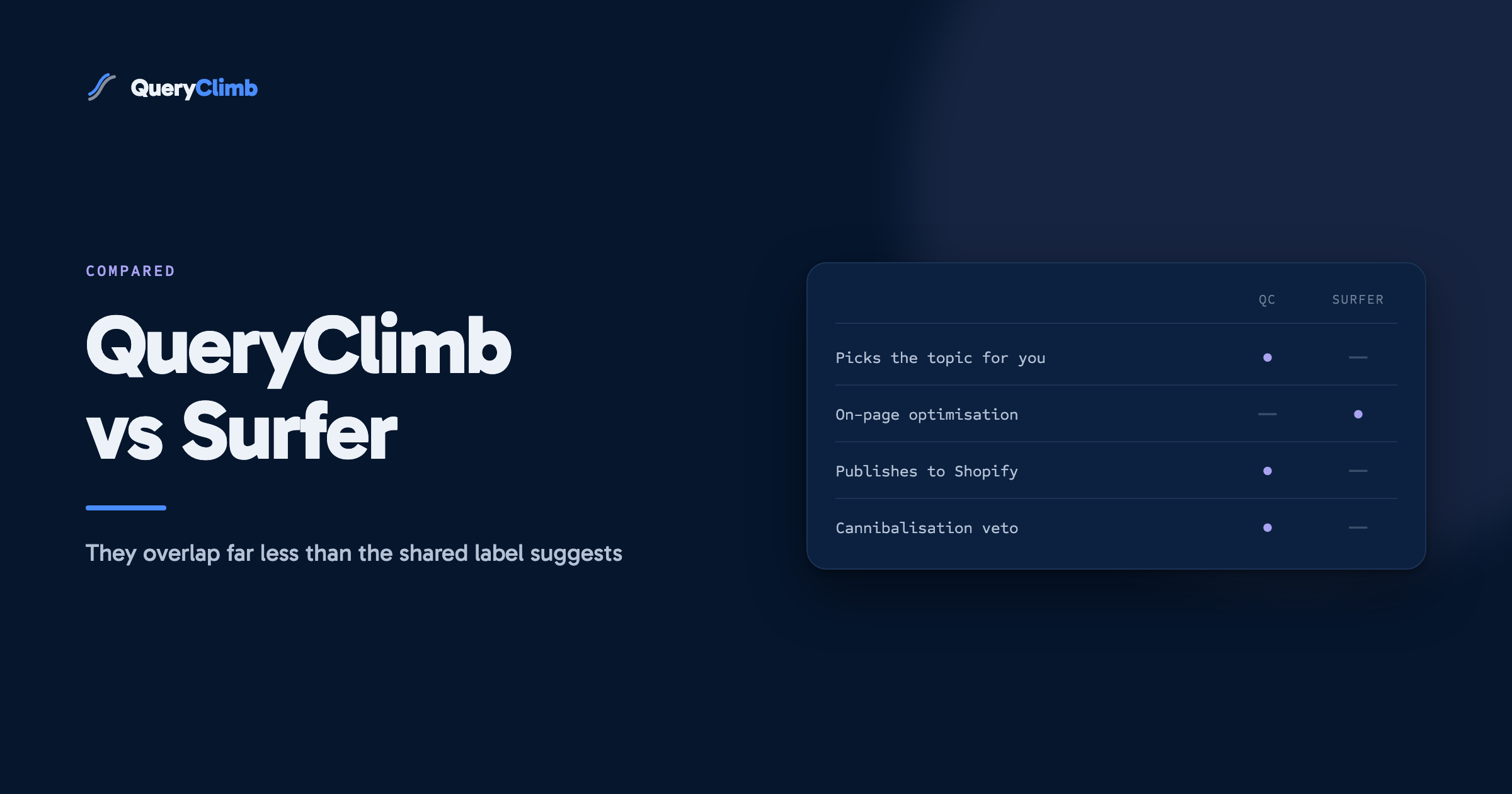
Surfer optimises a piece of content against the pages currently winning a keyword. QueryClimb decides what your store should publish from your own Search Console data, then writes, publishes and watches it. Surfer’s output is a better draft. QueryClimb’s output is a published, internally linked, tracked article. One is an editor; the other is a loop. Which one you need depends on whether your bottleneck is content quality or content decision-making, and for most small Shopify teams it is the second.
What Surfer actually is
Surfer’s core loop: you give it a keyword, it analyses the top-ranking pages for that keyword, and it scores your draft against them in real time as you write. Terms to include, word count ranges, heading structure, image counts, all derived from what currently ranks. The Content Editor is the best-known implementation of that idea anywhere, and it is genuinely pleasant to write in. Around the editor sit an outline builder, an AI writing assistant, keyword research, a content audit tool, and newer AI-visibility tracking that follows how often you appear in AI answers.
Verified pricing, August 2026:
| Surfer tier | Price | What you get |
|---|---|---|
| Discovery | $49/mo | 120 documents a year, 10 tracked pages, 1 workspace |
| Standard | $99/mo | 360 documents a year, weekly AI prompt tracking, integrations |
| Pro | $182/mo | 5 workspaces, daily AI tracking, internal linking, cannibalisation report |
| Peace of Mind | $299/mo | Unlimited documents (fair use), 100 daily tracked prompts, API |
What the tools actually optimise
Surfer scores a draft against the terms, length and headings of the pages currently ranking for your keyword. QueryClimb never looks at the SERP: it structures for the query’s intent and checks the draft against your own site. Those are different bets, and they suit different workflows.
Where Surfer is genuinely better
Credit where due, and there is real credit:
- SERP-comparative optimisation. Surfer’s entire engine answers “what do the current winners look like, and how does my draft compare.” QueryClimb does not attempt this; we do not reverse-engineer SERPs term by term. If your workflow is a human writer polishing drafts for competitive keywords, Surfer is the better tool and it is not close.
- Team writing workflows. Multiple seats, shared workspaces, editor permissions, agency reporting. Surfer is built for content teams producing at volume across many sites.
- Platform breadth. Surfer does not care what CMS you run. Our publishing depth is Shopify, end to end. If your business spans a Webflow site, a WordPress blog and a docs platform, Surfer serves all of them today.
- Maturity. Surfer has processed millions of documents and its scoring model reflects years of iteration. QueryClimb is new, and pretending otherwise would be silly.
What QueryClimb actually is
QueryClimb starts one step earlier than Surfer and finishes three steps later. The input is not a keyword you chose; it is your store’s own Search Console data, which lists every query Google already shows you for. From that, it finds the striking distance opportunities (position 5 to 20, real impressions, no adequate page) and runs the full loop:
- Classify. Every opportunity gets one of five verdicts: new, rewrite, refresh, leave winning, leave fresh. Half the value is the tool telling you what not to write.
- Preflight. Before drafting, the topic is checked against every page you rank for. If a new article would compete with an existing winner, it refuses and proposes a refresh instead. Surfer offers a cannibalisation report on its $182 Pro tier; ours is a veto that runs on every draft at every price, because we built it after cannibalising our own rankings.
- Draft. In your brand voice (tone, audience, banned phrases enforced per site), with every scientific or factual citation verified against the actual source via Crossref before it ships. This exists because an early draft on our own store cited studies that did not exist.
- Link and publish. Internal links are wired into your existing pages, and the article publishes to Shopify on a schedule you set, as a draft for review or live.
- Watch. Every published article’s ranking trajectory is tracked, with a projection of where it is heading if nothing changes.
The workflow difference in practice: a Surfer month is you choosing keywords, writing or supervising drafts in the editor, publishing them yourself, and checking rankings yourself. A QueryClimb month is reviewing a proposed plan, unticking anything you dislike, and reading a morning brief about what shipped overnight and what moved.
Head to head
| Surfer SEO | QueryClimb | |
|---|---|---|
| Topic source | Your keyword research + SERP analysis | Your Search Console data |
| Core skill | Scoring drafts against the SERP | Deciding, publishing and tracking |
| Cannibalisation | Report, Pro tier ($182/mo) | Preflight veto, every draft, all tiers |
| Citations | Not verified | Verified against Crossref and linked |
| Brand voice | Tone controls in AI writer | Per-site brand kit, enforced every draft |
| Publishes to Shopify | No | Yes, scheduled, draft or live |
| Internal linking | Pro tier | All paid tiers, plus orphan rescue |
| After publish | Rank tracking (limited pages per tier) | Trajectory + projection per article |
| AI visibility (GEO) | Prompt tracking, paid tiers | Site audit score, all tiers including free |
| Team features | Strong | Single operator focus today |
| CMS breadth | Any | Shopify first |
| Entry | $49/mo | Free audit, paid from $29/mo |
| Comparable tier | Standard, $99/mo | Growth, $79/mo |
The pricing comparison that actually matters
The listed prices are close: Surfer Standard at $99 against QueryClimb Growth at $79. The real difference is what a dollar buys in each. Surfer’s unit is a document: an optimised draft you still have to publish, link and monitor. QueryClimb’s unit is a published article: live on your store, linked, tracked. If your time is free and abundant, the gap between those units is small. If you are a founder doing content on the margins of running a business, the gap between “here is a good draft” and “this went live last night and here is its trajectory” is the whole product.
There is also the stack question. Surfer users typically pair it with a rank tracker and a publishing workflow. QueryClimb replaces those for a Shopify blog, but does not replace a dedicated editor for hand-polished pieces.
Key takeaway
Surfer’s unit is a better draft. QueryClimb’s unit is a published, linked, tracked article. If your time is free and abundant the gap is small. If you are a founder doing content on the margins of running a business, that gap is the entire product.
Which should you buy?
Buy Surfer if: you have a writer or team producing content across multiple sites or platforms; your bottleneck is on-page quality against competitive SERPs; publishing and monitoring are solved problems in your workflow. Discovery at $49 is a cheap way to sharpen a human writing process, and for agencies the Pro tier’s workspaces are the standard for a reason.
Buy QueryClimb if: you run a Shopify store; nobody on the team has ten spare hours a week for content; and your Search Console already shows queries at position 5 to 20 with no article answering them. That last condition is checkable for free in two ways: our audit tier reads your data and shows the list, or you can run the manual striking distance workflow yourself in twenty minutes. Our pricing runs from a free audit to $199/mo.
Run both if: you publish heavily and can afford roughly $130 to $180 a month combined. QueryClimb decides, drafts, publishes and watches the volume; Surfer hand-polishes the two or three pieces a month aimed at your most competitive money terms. The tools do not overlap enough to fight.
Frequently asked questions
Can QueryClimb optimise content the way Surfer does?
No. We do not score drafts against current SERP winners term by term. Our drafts are structured for the query’s intent (question headings, direct answers, verified citations), which overlaps with what SERP analysis usually prescribes, but if term-level SERP scoring is your method, Surfer is the tool for it.
Can Surfer publish to my Shopify blog?
Not directly. Surfer exports and integrates with writing workflows (WordPress and Google Docs are first-class); for Shopify you publish manually or through third-party glue.
I already pay for Surfer. What would QueryClimb add?
The decision layer and the after-publish layer: which topics from your own search data are worth writing, the guarantee you are not competing with yourself, hands-off Shopify publishing, and per-article trajectory tracking. Several early users run exactly this stack.
Is there a free way to try the QueryClimb approach?
Yes, two. The free audit tier reads your Search Console and shows your striking distance list and AI-visibility score. And the manual workflow guide teaches the whole method with no tools at all.