The short answer
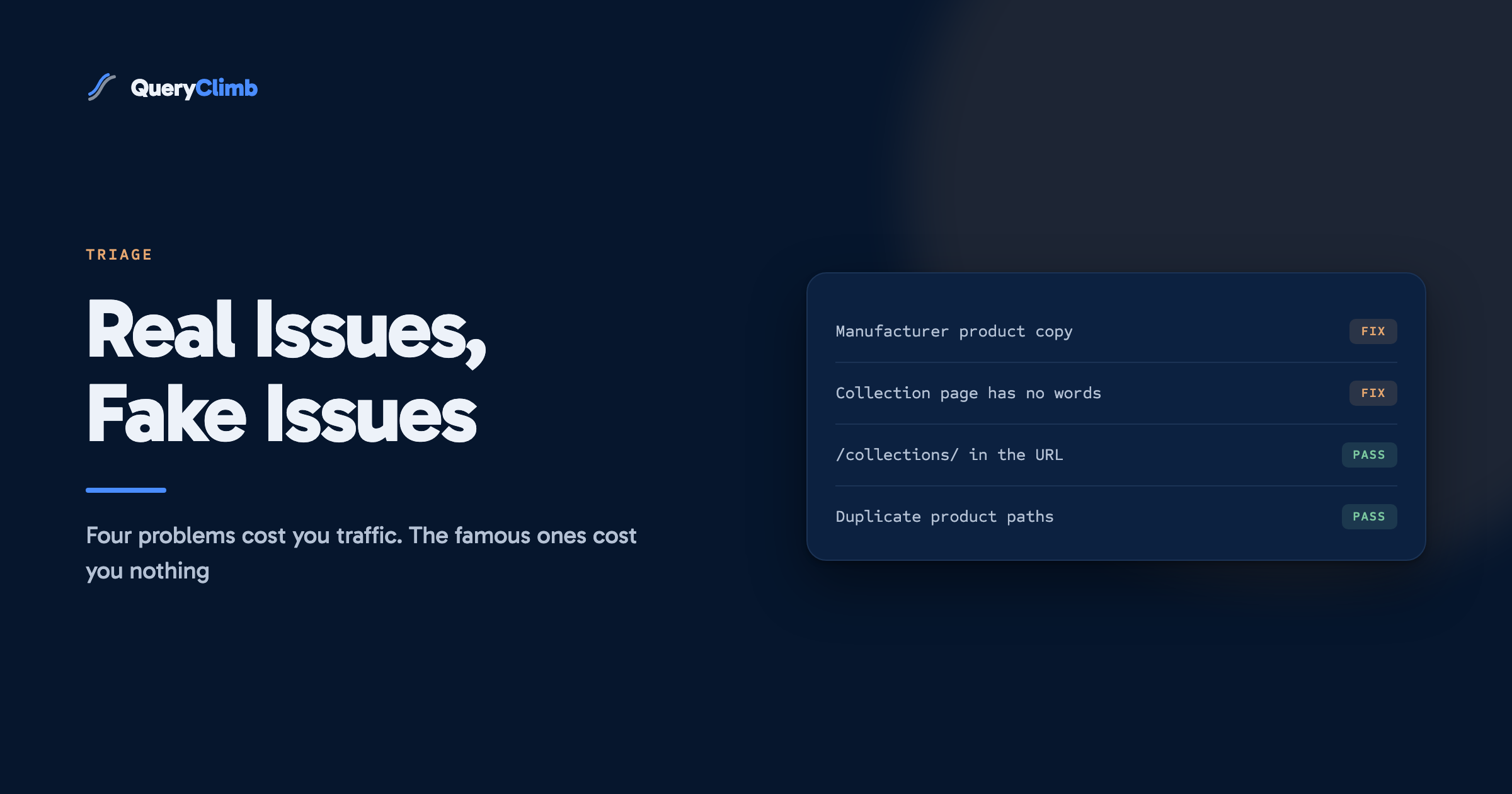
Nearly every store that does not rank has one of four real problems: manufacturer product copy, collection pages with no words on them, two of its own pages fighting over one query, or nothing published against informational demand. URL structure, the word collections in the path, and duplicate product URLs are handled by Shopify already and change nothing when you fix them.
Search for Shopify SEO problems and you get two kinds of answer. The first is a list of platform complaints: the URL structure, the duplicate product paths, the fact that you cannot edit robots.txt as freely as on WordPress. The second is a fifty-item audit that treats every finding as equally urgent.
Both waste your week. We run Supplements Wise, an independent store on Shopify, and the problems that actually held our traffic down were not on either list. They were dull, content-shaped and entirely our own fault.
This is the triage. Which issues suppress traffic, which are noise, and how to work out in twenty minutes which one your store has. If you want an ordered work list rather than a diagnosis, the Shopify SEO checklist is the companion piece; this post is about deciding what to put on it.
The worked examples all come from one imaginary store, a coffee retailer selling beans, grinders and brewing gear, so nothing has to be translated between sections.
Why is my Shopify store not ranking on Google?
Almost always because nothing on your store is a good answer to anything people search, and occasionally because two of your pages are both trying to be the same mediocre answer.
That is unsatisfying, because the platform-level explanation is more comfortable. If the problem is Shopify’s URL structure, it is not your fault and there is a plugin. If the problem is that your grinder collection page contains a heading and eleven product tiles and no sentences, that is a writing job nobody wants to do on a Sunday.
Shopify handles the technical base competently. Canonical tags, an auto-generated sitemap, mobile rendering and HTTPS all ship by default. A store can be invisible in search with every one of those correct, and most invisible stores are. The gap is between what the store says and what its buyers type.
Worth knowing
A store can pass every technical audit and still earn zero organic clicks. Technical correctness is a floor, not a cause of ranking. Nothing in a Shopify theme’s default configuration prevents a store from ranking, which is why fixing the theme rarely changes the graph.
Which Shopify SEO issues actually cost you traffic?
Four, in the order they usually matter. Each one is a content decision wearing a technical costume.
- Manufacturer product descriptions, copied verbatim. The commonest failure we see on stores that ask us to look. Four hundred retailers list the same pour-over dripper with the same eighty words from the distributor’s PDF. Google picks one of them to show, and the tiebreaker is not you.
- Collection pages with no words on them.
/collections/burr-grindersis often the most commercially valuable page on a coffee store and the emptiest. A title, a grid, no copy, no target query. It cannot rank for “best burr grinder for espresso” because it does not contain the idea, let alone the phrase. - Two of your own pages chasing one query. Stores split their own relevance more easily than content sites do, because products, collections and articles all sit in the same index. When your new article about grind size outranks the grinder collection page that was quietly selling grinders, the net result can be negative. We wrote up the diagnosis and the fixes in keyword cannibalisation on Shopify.
- Nothing published against informational demand. Most searches in any category are questions, not purchase intents. If your store answers none of them, you are competing only in the narrow commercial slice where every other retailer and the manufacturer are already bidding.
There is a fifth that is real but smaller: pages nothing links to. An article with no internal links pointing at it gets crawled rarely and valued less. It is cheap to fix and worth a quarterly sweep rather than a panic.
Which Shopify SEO problems are not worth your time?
These come up constantly and none of them has ever been the reason a store did not rank.
The /collections/ and /products/ segments in your URLs. Every Shopify store on earth has them. A path segment is not a ranking factor at any weight you could measure, and no store has ever lost a position to the word “collections”.
Duplicate product URLs under collection paths, where /collections/espresso/products/gooseneck-kettle and /products/gooseneck-kettle both resolve. Shopify sets the canonical tag on these correctly. This is the single most reported Shopify SEO issue and it is already fixed in the platform.
Chasing a PageSpeed score into the nineties. Speed matters when a page is genuinely slow, meaning several seconds to first content on a phone. The difference between 72 and 91 on a synthetic score is not what is keeping you off page one, and the app you install to improve it often adds more script than it removes.
Themes that advertise themselves as SEO optimised. There is no theme setting that makes content rank. What a theme can do is break things: render your product copy in JavaScript that arrives late, or bury your H1. That is worth checking once, and then never again.
Meta keywords. Google stopped using them in 2009. They still appear in Shopify SEO app feature lists.
The blog sitting at /blogs/news/. You cannot change it, it does not matter, and the hours spent trying to change it are the purest form of SEO procrastination there is.
What the data showed us
On our own store, 88 per cent of clicks over a six-month window came from 147 blog articles, and the weighted average position moved from 17.9 in the first month to 8.5 in the last. None of that came from platform configuration. The full timeline, with every intervention dated and the caveats named, is on the case study page.
How do I work out which issue my store actually has?
Open Search Console, set the Performance report to the last 28 days, and answer three questions in order. You do not need a tool for this and it takes about twenty minutes.
Are impressions near zero? Then the problem is coverage, not quality. Google is not showing your pages for anything, which means your pages do not address anything being searched. Nothing else on this page applies until that changes. Start with the informational questions your buyers ask before purchase, one article each.
Are impressions healthy but clicks low? Then you are appearing and being skipped. Sort by impressions, look at the queries, and check which page Google chose for each. The frequent finding is a mismatch: someone searches “how to clean a burr grinder” and Google offers your product page for a grinder brush, because that is the closest thing you own. That mismatch is your article brief, written by Google, using your own data.
Were impressions and position fine, and then they were not? Then something changed. Check the date the line bent, then check what you published near it. Self-competition from your own new post is the cause more often than any competitor. The striking distance walkthrough covers the filters and the prioritisation formula for this whole report.
Why do my product pages not rank for their own product name?
Because your page is the twentieth identical copy of the same paragraph, and because the query you are testing is one you were never going to win.
Two separate things are usually happening. The first is the duplicate copy problem above: rewrite the description in your own words, aimed at the person deciding, and say what the product is not good for. A hand grinder that takes ninety seconds per dose is a bad fit for someone making four cups before work, and writing that sentence does more for the page than any amount of keyword placement.
The second is target selection. Searches for an exact brand and model name mostly go to the manufacturer, to Amazon and to the two largest retailers in the category, and a small store will not displace them. The winnable version carries a modifier: “hand grinder for travel”, “grinder for espresso under 200”, “quiet burr grinder”. Those have less volume each, they sum to more than the head term, and they convert better because the searcher has already told you their constraint.
What if traffic used to be there and then dropped?
Treat a drop as a dated event and work backwards from the date, because the cause is nearly always something that happened rather than something that decayed.
Check four things, in this order. Whether the page is still indexed, using the URL Inspection tool, since an accidental noindex from a theme or app change is rare but instant and total. Whether you published something new near the date that targets the same query, which is self-competition and the most likely answer on an active store. Whether the results page itself changed shape, because a query that grew an AI Overview or a product carousel can hold its position and lose half its clicks. Whether a competitor published something better, which is the least common and the only one requiring real work.
Rank drops are the one category where speed matters. A page that slipped from 4 to 9 last week is usually recoverable; the same page six months later has often been forgotten by everyone including you, which is why our Search Insights module watches positions rather than waiting for someone to notice.
Key takeaway
If you have a spare hour, do not spend it on your URLs or your theme settings. Spend it rewriting one collection page so it targets a real query, then check in six weeks. That single change moves more than the entire platform-complaint list combined.
Where does software fit into this?
Everything above works with Search Console, a spreadsheet and the discipline to open both on the same day each week. That is genuinely the whole method, and plenty of stores run it by hand for years.
What breaks is the repetition. The diagnosis is a weekly job, the rewriting is a weekly job, and the watching is a six-week commitment per page, which is why most stores do this properly for three weeks and then stop. We built QueryClimb because we were the store that kept stopping: it pulls the Search Console signal, sorts it by opportunity, runs the self-competition check before anything gets written, plans the months in Content Calendar, drafts through Blog Writer against a brand kit with sources verified, and wires the internal links on publish. The pricing page has the tiers, and the free audit runs the diagnosis in this post against your own data so you can see your list before paying anything.
What it does not do is decide which winning page to leave alone, or judge whether a flat article deserves a second attempt. The tool buys back the hours. The judgement stays yours, and so does the writing that only someone who sells the thing can do.
Frequently asked questions
Is Shopify bad for SEO?
No. Shopify’s defaults cover canonicals, sitemaps, mobile rendering and HTTPS without configuration, which puts a new store ahead of most self-hosted setups on day one. The constraints are real but minor: you cannot fully control the URL structure and robots.txt editing is limited. Neither has ever been the reason a store did not rank.
Why is my Shopify store not showing up on Google at all?
Check indexing first, because a brand new store or a site still behind Shopify’s password page will not appear at all. Once you have confirmed pages are indexed, the answer is almost always that nothing on the store targets a query anyone searches. Impressions near zero in Search Console is the confirmation.
Do Shopify collection pages need text on them?
Yes, and this is the highest-return unglamorous job on most stores. A collection page with two or three hundred words that answers the question buyers are actually asking, placed above or below the product grid, can rank for commercial queries that no article of yours will ever win. It is also the page that converts when it does.
How long does it take to fix Shopify SEO issues?
Rewrites of pages that already rank tend to move within one to three weeks, because Google already knows the page. Genuinely new pages take four to eight weeks to settle. Judging either within the first fortnight produces false conclusions in both directions, which is why the six-week watch exists.
Do I need an SEO app to fix these issues?
Not for anything in this post. The four real problems are all writing and structure, and none of them has an app-shaped solution. Apps are useful for bulk metadata editing, redirect management and broken link sweeps, which are chores rather than causes. Our comparison of the Shopify SEO apps sorts them by the job each one does.