The short answer
Search Console measures what happens in Google's results before someone reaches your site. Analytics measures what happens on your site after they arrive. They count different events, so the numbers will not match and were never meant to. Believe Search Console for queries, impressions and rankings, and Analytics for revenue, conversion and behaviour on the page.
Search Console and Google Analytics disagree because they are counting two different things. Search Console is Google’s record of its own results pages: how often you appeared, how often somebody clicked, and which query they typed. Analytics is your site’s record of its own visitors: what they did once they landed, what they bought, and how long they stayed.
Both are free, both come from Google, and neither is a substitute for the other. The confusion is almost always the same one: somebody opens both, sees two different numbers for last month’s organic traffic, and tries to work out which tool is broken. Neither is. They are answering different questions, and the gap between them is expected behaviour rather than a fault.
What is the difference between Google Search Console and Google Analytics?
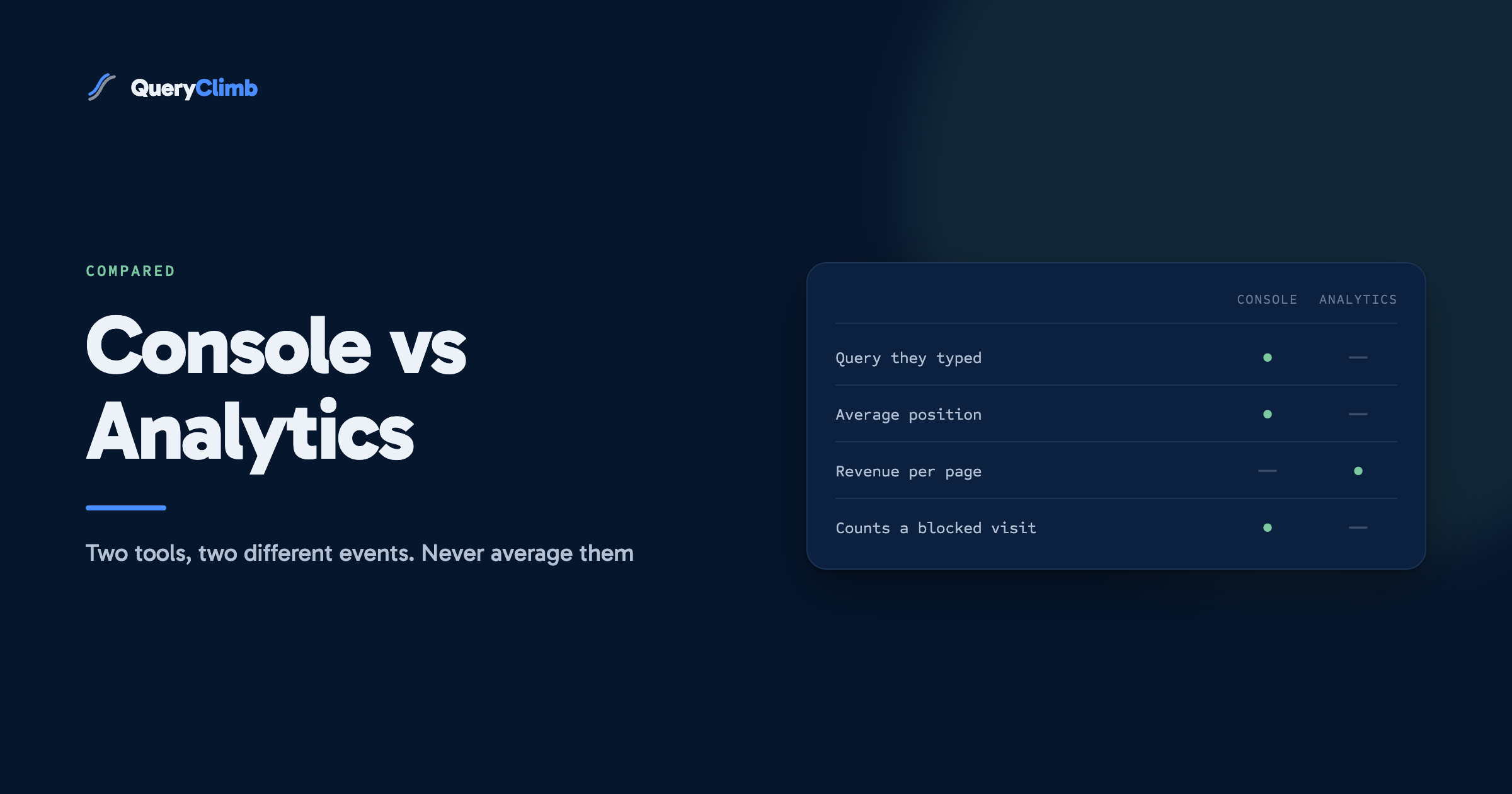
Search Console measures the search results. Analytics measures the site.
That single sentence resolves most of the confusion, but it is worth being precise about the boundary. A Search Console click is recorded at the moment somebody presses your link on a Google results page. That event happens on Google’s property, is counted by Google’s own infrastructure, and nothing about your website is involved. If your server is down, the click still counts.
An Analytics session begins when a tracking tag loads in the visitor’s browser on your site. That event happens on your property, is counted by code you installed, and depends entirely on that code running. If the tag is blocked, the visit does not exist as far as Analytics is concerned.
Google’s own documentation on using Search Console and Analytics data together makes the same split and is worth reading once, because it is the only place Google states plainly that the two data sets are not meant to reconcile.
Why do the click numbers never match?
Because at least five things sit between a Search Console click and an Analytics session, and every one of them subtracts.
The tag fails to fire. Somebody clicks, the page starts loading, and they hit back before the JavaScript runs. Search Console counted a click. Analytics counted nothing. On a slow mobile connection this is common.
Consent and blocking. A visitor who declines analytics cookies, or runs a content blocker, or uses a browser with tracking prevention on by default, is invisible to Analytics and fully visible to Search Console. This is the largest single cause of the gap on most stores.
The channel is wider than Google. GA4’s Organic Search channel covers every search engine it recognises, so Bing, DuckDuckGo and the rest land in the same bucket. Search Console only ever reports Google. Google’s default channel group definitions spell out the matching rules. That difference pushes in the opposite direction to the others, which is why the two figures sometimes drift closer for no obvious reason.
Time zones and lag. Search Console dates a click by Pacific Time, while GA4 uses whatever reporting time zone your property is set to. Search Console also runs two to three days behind. Comparing yesterday in one against yesterday in the other is comparing two different windows.
Sessions are not clicks. One person can click your result, browse, leave, come back from a bookmark thirty minutes later and generate two sessions from one click. Or click three of your results in one afternoon and produce three clicks against one session.
What the data showed us
On our own store, Supplements Wise, Search Console clicks have run ahead of GA4 organic sessions every single month we have looked, and not once the other way round. The size of the gap moves around, which is the useful part: a sudden change in the gap has always turned out to be a tagging or consent-banner problem rather than a traffic problem. We now treat the ratio between the two as a health check on the tracking rather than as a number to fix.
Which one should you believe?
Believe Search Console for anything that happened before the click, and Analytics for anything that happened after it. Do not average them, do not pick the higher one, and do not spend an afternoon trying to make them agree. That afternoon has no prize at the end of it.
For a running shoe store, the split is easy to see in practice. How many people saw you for “wide toe box running shoes” is a Search Console question, and Analytics cannot answer it at any price. Whether the people who landed on that guide went on to buy anything is an Analytics question, and Search Console has no idea, because its job ended the moment they left the results page.
The only genuine trap is reporting. If you tell somebody organic traffic grew 20 per cent, say which tool you took that from and stick to the same one every month. Switching source between reports produces a change that exists only in the reporting.
What can Search Console tell you that Analytics cannot?
Queries, position and impressions. None of these exist in Analytics at all.
Analytics stopped receiving query data in 2011, when Google moved search to HTTPS and replaced the referring keyword with “not provided”. Fifteen years later people still look for a keyword report in GA4 and assume they have configured something wrong. There is nothing to configure. The data is not sent.
That leaves Search Console as the only free source for four things that matter:
- The actual query somebody typed, in the Performance report.
- Your average position for it, and how that position has moved.
- Impressions, which is demand you are visible for but not yet winning.
- Whether Google has indexed the page at all, which is a different failure from not ranking. Our post on crawled, currently not indexed covers the most common version of that.
The impressions number is the one most stores ignore and the one most worth reading. A page with high impressions and few clicks is already being shown to the right people and losing them at the title. That is a rewrite, not a new article. A page with no impressions is not in the game yet, and no amount of title work changes it. The same report is where striking distance keywords come from, and those are the cheapest wins available to most stores.
Worth knowing
You can link a Search Console property to GA4 and read Search Console reports inside the Analytics interface. It is worth doing, and it does less than people expect. The linked reports keep Search Console’s own dimensions and cannot be crossed with GA4’s, so you still cannot ask for revenue by query. The two data sets sit side by side in one interface rather than merging. Our guide to linking Search Console to Google Analytics covers the setup and the one report worth opening.
What can Analytics tell you that Search Console cannot?
Everything that happens after the click, which is everything that decides whether the traffic was worth having.
Search Console will happily tell you a guide to shoe drop and heel height is your best performing page by clicks. Analytics is where you find out that it converts at a fraction of the rate of a much smaller comparison page, because one attracts people researching a topic and the other attracts people choosing between two products.
The questions only Analytics answers:
- Revenue and conversion rate by landing page, so you can rank pages by money rather than by clicks.
- What people did next, including whether they reached a product page at all.
- Which device and country actually buy, as opposed to which ones visit.
- How organic compares against email and paid for the same product.
Note that GA4 applies data thresholds of its own, withholding rows in small segments when Google signals are enabled. Search Console is not alone in hiding data from you, and a report with suspiciously round gaps is usually thresholding rather than a collection failure.
Do you need both?
Yes, and the order matters. Set up Search Console first.
If you are starting from nothing, Search Console is the higher priority for one blunt reason: it is the only place you find out whether Google can index your site. A store with a stray noindex tag or a blocked crawl path can have flawless Analytics and no traffic to analyse. Analytics measures the visitors you have. Search Console tells you why you do not have more.
Once both are running, the practical routine is to start in Search Console every time and finish in Analytics. Search Console tells you what moved and which query moved it. Analytics tells you whether the pages involved were worth defending. Starting the other way round means you spend the first twenty minutes looking at a traffic dip with no idea which query caused it.
Key takeaway
Search Console is a diagnosis tool and Analytics is a valuation tool. Use the first to find what changed in the results, and the second to decide whether to care. Any question that requires both to agree on one number is the wrong question.
How do you use them together in a monthly review?
The manual version takes about an hour and works fine. We ran it this way for a long time before building anything.
In Search Console, compare the last 28 days against the previous 28 and sort pages by click change. Note anything that lost meaningfully, then filter to that page and look at the query list to see which terms went with it. Separately, filter to positions 5 to 20 and pull out the queries with real impressions, because those are the pages one improvement away from earning something.
Take that list of pages into Analytics. For each one, check conversion rate and revenue. A page that lost clicks and never converted is not an emergency. A page that lost clicks and earns money is the top of your list for the month. This step is the whole point of running both, and it is the step people skip.
The limitation is that neither tool remembers. Both show you a window, and next month you open a fresh window with no record of what you decided in this one. That is the part we got tired of, and it is why QueryClimb exists: it reads the same Search Console API on a schedule and keeps the history, so Search Insights shows whether a query has been improving for four months rather than whether it moved this week, and the content calendar turns those findings into dated work. The full loop we run on our own store is written up in our system for blog SEO, and the results of running it are in the case study. The pricing is public. None of it is necessary to do the hour of work described above, which is free and which you should do regardless.
Frequently asked questions
Is Google Search Console the same as Google Analytics?
No. They are separate products measuring separate events. Search Console counts impressions and clicks on Google’s results pages, before anybody reaches your site. Analytics counts sessions and conversions on your site, after they arrive. Having one does not give you the data from the other.
Why is my Search Console traffic higher than Google Analytics?
Almost always because Analytics is missing visits rather than because Search Console is inflating them. Consent refusals, content blockers and people leaving before the tracking tag loads all remove sessions from Analytics while the click is still counted by Google. A gap is normal. A gap that changes suddenly is worth investigating as a tracking problem.
Can I see keywords in Google Analytics?
No. Google removed referring keyword data in 2011 when it moved search to HTTPS, and GA4 has never had it. The Performance report in Search Console is the only free source of the queries people actually typed, and even that omits rare ones for privacy reasons.
Should I link Search Console to Google Analytics?
Yes, it takes a few minutes and costs nothing. Be clear about what it gives you: Search Console’s reports rendered inside the GA4 interface, not a merged data set. You still cannot report revenue against a search query, because the two systems never join at the row level. The setup steps are in our linking guide.
Which should I set up first on a new store?
Search Console. It is the only tool that tells you whether Google can crawl and index your pages, and an indexing problem makes every Analytics report meaningless because there is no traffic to measure. Verify the property, submit the sitemap, then add Analytics once you know you are in the index.