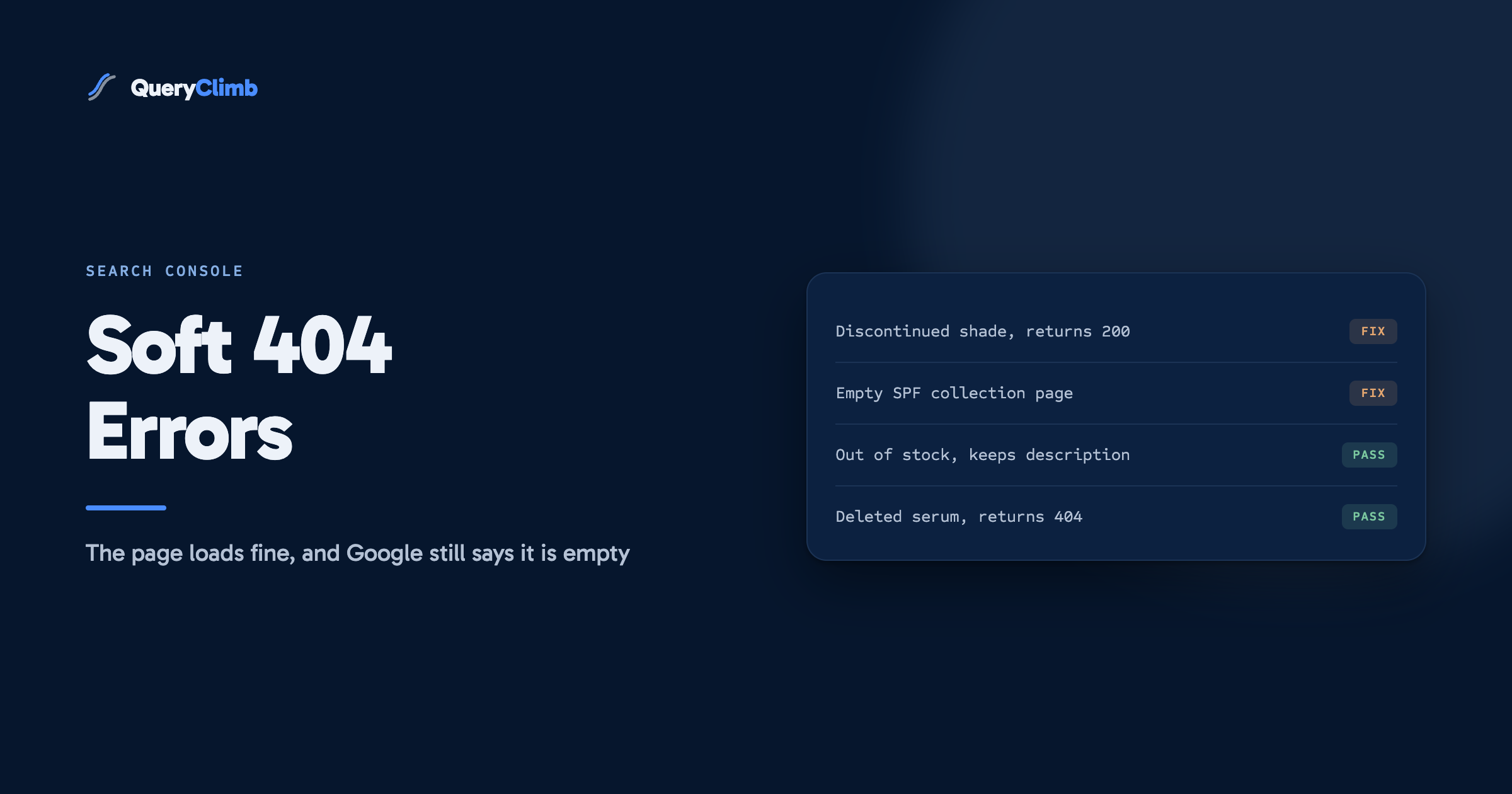
The short answer
A soft 404 means Google fetched your page, got a normal 200 response, and judged the page to be empty or absent anyway. It is a content judgement rather than a server fault, so there is no setting to change. The fix is either to put something real on the page or to let it return a genuine 404 or 410.
The Page Indexing report has a line called “Soft 404”, and it is the one that makes store owners angriest, because the page it names works. You click the URL and it loads. It returns a 200. Google has filed it under a status whose name says the page is missing.
Nothing is broken in the way the name suggests. A soft 404 is Google saying the page responded fine and had nothing on it. It is a content judgement wearing an HTTP costume, which is why an afternoon spent hunting for a server misconfiguration finds nothing at all.
The examples here come from a skincare store selling cleansers, serums and SPF, a category with enough discontinued shades and seasonal lines to generate the problem reliably. The logic transfers to any catalogue that retires products.
What is a soft 404 error?
A soft 404 is a URL that returns a success status code while showing the user content that says, in effect, there is nothing here. Google’s documentation on HTTP status codes describes the condition plainly: the page tells the user it does not exist, but the server does not tell the crawler the same thing.
The mismatch is the whole of it. Two channels carry the message that a page is gone. One is the status code the server sends, which only machines read. The other is the words on the page, which only people read. When those two disagree, Google trusts its own reading of the page and flags the discrepancy.
Google has been detecting this for well over a decade, and the reasoning has not changed in that time. A crawler that believes an empty page is a real page wastes its visits returning to it, and risks putting it in front of a searcher who wanted a product.
Worth knowing
Soft 404 is not an error in the sense that a 5xx is an error. It sits in the same report as genuine failures, which is what makes it read as one. Nothing about your hosting, your theme or your DNS is broken. Google fetched the page successfully and then disagreed with you about whether the page has content.
Why does Google call a working page a 404?
Because the page told it to, in words. Googlebot reads the rendered page and looks for the signals a human would use to conclude the page is empty. Phrases like “product not found”, “no results”, “this item is no longer available” and “sorry, that page has moved” are exactly those signals, and a page built around one of them is a page with no content.
This catches people out because the page often looks substantial. A discontinued serum on a Shopify store still renders the header, the navigation, the trust badges, the newsletter block and the footer. What it does not have is a product, a price or a description. Strip the furniture and the unique content is one sentence apologising.
The second route to a soft 404 is a redirect that lands somewhere irrelevant. Google’s guidance on redirects states that redirecting deleted pages to the homepage is treated as a soft 404. The reasoning is the same: a shopper who wanted one discontinued cleanser and gets the homepage has been told nothing exists, just with extra steps.
What causes soft 404s on an online store?
Three shapes account for nearly all of them, and each needs a different decision.
Retired products that still render. The discontinued shade, the reformulated serum, the supplier line dropped when the margin stopped working. The URL stays live, the template still loads, the product data is gone. This is the most common source on any catalogue over a couple of years old.
Empty collection and filter pages. A collection with nothing in it, an internal search results page with no matches, a filter combination that no product satisfies. These get crawled because something links to them or a sitemap lists them, and they all render the same empty state.
Out-of-stock pages that hide themselves. A page that swaps the product for a “currently unavailable” notice is a soft 404 for as long as the stock is out, even though the product is genuinely coming back.
That third one is the only case where the page is right and Google is wrong, and it is worth handling deliberately rather than ignoring.
What the data showed us
On our own store, Supplements Wise, the soft 404 list turned out to be almost entirely one pattern rather than a scatter of individual mistakes. Sorting the export by URL shape rather than reading it top to bottom made that obvious in about two minutes. One template was generating the whole group, so it needed one decision rather than dozens. The genuine one-offs underneath were a short enough list to handle in a single sitting.
Is a soft 404 actually a problem?
Sometimes, and the honest answer depends entirely on which of the three shapes you are looking at.
A handful of soft 404s on a working store is normal and not worth an evening. Google is telling you some URLs are empty. If those URLs are empty on purpose and nobody is looking for them, the report is describing reality accurately and no action improves anything.
It becomes a real problem in two cases. The first is volume. A large pile means your site is serving a lot of URLs that resolve to nothing, and Google’s crawl budget guidance names soft error pages among the low-value URLs that affect how the rest of a site gets crawled. A crawler spending its visits on empty filter combinations is not spending them on your new guides.
The second is misclassification. If a page you care about has been judged a soft 404, it is out of the index and earning nothing, and that is worth finding out about quickly. A thin category page with one product in it can trip the detection while being a page you genuinely wanted ranking.
How do you fix a soft 404?
Decide what the page is for, then make the page and the status code agree. There are only three honest endings.
The page should not exist. Return a real 404 or 410. Delete the product, remove the collection, let the URL die properly. This is the right answer for the discontinued shade nobody is looking for, and it is the answer for most of the list on most stores. We have written before about why most dead URLs should stay dead rather than being redirected somewhere convenient.
Something genuinely equivalent exists. Redirect to it, and mean it. The reformulated version of the same serum is a real destination. The homepage is not, and neither is the top-level collection when the shopper wanted one specific product. If you cannot name the page a visitor would actually want instead, there is no redirect worth writing.
The page should exist and needs content. This is the fix people skip. An empty collection for a range you still sell is not a candidate for deletion, it is a page waiting for copy, products and a reason to rank. Our guide to collection page descriptions covers what that copy has to do.
For the out-of-stock case specifically, keep the page and keep the content. Leave the description, the images, the reviews and the specification in place, and add the availability notice alongside them rather than instead of them. A page with 400 words about a serum and a line saying it returns in October is a real page. A page with nothing but that line is not.
Should you return 404 or 410?
Use 404 unless you are certain the page is never coming back, in which case 410 says so more clearly. Both remove the URL from the index eventually and the difference is smaller than the debate about it suggests.
The practical distinction is speed and intent. A 410 Gone response states that the resource was deliberately removed and no forwarding address exists. Google treats it as a stronger signal and tends to drop the URL a little faster. A 404 leaves open the possibility that the absence is temporary.
For a store, this is rarely worth engineering. Most platforms return 404 for a deleted product without being asked, and chasing a 410 for a marginally faster drop is effort better spent on pages that still make money. Use 410 for a large deliberate cull. Otherwise let the 404 do its job.
Key takeaway
Sort the export by URL pattern before opening a single page. On nearly every store one or two templates generate most of the soft 404 list, and a template needs one decision rather than a hundred. What is left after that grouping is the real work, and it is usually small.
How do you find soft 404s before Google does?
Check the pages that render an empty state, because those are the only ones that can trip it. Open your own store and deliberately visit a deleted product URL, a collection you have emptied, an internal search for a nonsense word and a filter combination no product matches. If any of those return a 200 with an apology on it, you have found the template generating your list.
Search Console remains the record of what Google has actually seen, and the Page Indexing report is where the Soft 404 reason lives. Export it, group it by pattern, and take the decision once per pattern. The URL Inspection tool will confirm the classification on any individual URL if you want to check your work.
One thing not to bother with: mass-clicking Validate Fix on URLs you have not changed. The validation runs, fails a fortnight later and tells you what you already knew.
What this costs to run
The manual version works and costs nothing but time. Pull the report monthly, group the export, then decide once per pattern. Most of the calls are obvious once the grouping is done, and the job runs to an hour if the list is tidy.
The cost is that it is an hour you spend again every month, alongside the same loop for indexing, for rankings and for deciding what to publish next. That is the gap QueryClimb fills rather than any technical trick. Search Insights groups the report for you and flags the patterns worth a decision, the content calendar holds what you decided so the same empty collection does not get rebuilt next quarter, internal linking stops new pages landing with nothing pointing at them, and the blog writer fills the collection pages that turned out to need content rather than deletion. You can see what running that loop did to a real store in our case study, and the pricing is public.
If you have the hour, do it by hand. The method is the same either way, and knowing it is what makes the tool worth anything.
What stops the pile rebuilding is deciding what a page is for before publishing it, the same discipline behind our blog SEO system and the reason the striking distance list is where good candidates come from. A page with a named query behind it does not end up in this report. A page a template generated usually does. The neighbouring status, crawled but currently not indexed, is the same lesson through a different door.
Frequently asked questions
What does soft 404 mean in Google Search Console?
It means Google requested the URL, received a normal 200 response, and judged from the rendered page that there was no real content on it. The page says it is empty while the server says it is fine, and Google flags the disagreement.
Does a soft 404 hurt my SEO?
A few do no measurable harm. A large number is worth acting on, because Google’s own crawl budget guidance names soft error pages among the low-value URLs that affect how the rest of your site gets crawled. The bigger cost is any page you wanted indexed that has been classified this way, since it is out of the index entirely.
How do I fix a soft 404 on Shopify?
Decide whether the page should exist. If it should not, delete the product or collection so the URL returns a genuine 404. If an equivalent product exists, create a redirect to that specific page rather than to the homepage. If the page should exist, give it real content instead of an empty state.
What is the difference between a 404 and a soft 404?
A 404 is a server response telling the crawler the page does not exist, and it is correct behaviour. A soft 404 is a page that tells the human it does not exist while telling the crawler it does. The first is honest, the second is a mismatch Google has to resolve on its own.
Should an out-of-stock product page return a 404?
No, not if the product is coming back. Keep the page, keep the description and images, and add an availability notice alongside the existing content. Stripping the page down to an unavailable message is what turns a temporary stock issue into a soft 404 and costs you the ranking while you wait for the restock.