The short answer
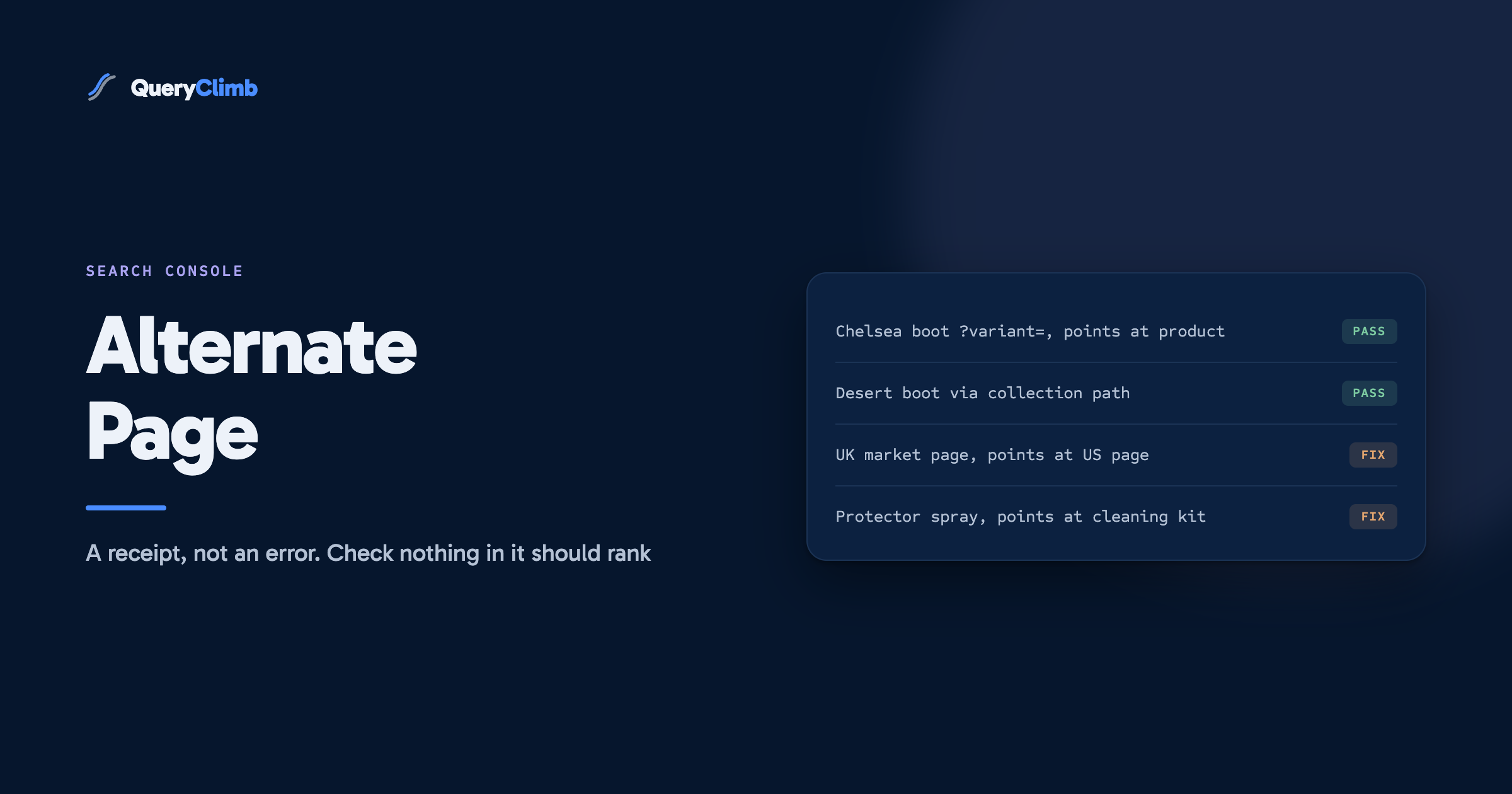
Alternate page with proper canonical tag means the URL points to another page as its canonical, Google agreed, and the other page is the one indexed. It is not an error and Google's own documentation says there is nothing to do. The only check worth making is whether any URL in the list is a page you actually want ranking, because a canonical tag pointing the wrong way looks exactly like one pointing the right way.
Open the Page Indexing report on almost any online store and one of the larger grey bars under “Why pages aren’t indexed” will be “Alternate page with proper canonical tag”. On a store with a few hundred products it can list thousands of URLs, which is more than the store has pages, and that alone is enough to make people think something has gone badly wrong.
Nothing has. Every URL in the list said “the real version of me lives over there”, Google agreed, and indexed the other one. It is less an error report than a receipt.
The examples in this post come from a footwear store selling suede Chelsea boots, desert boots and the brushes, sprays and cleaning kits that keep suede looking like suede. Colours, sizes and care products are exactly the shape that fills this list.
What does alternate page with proper canonical tag mean?
It means this URL carries a canonical tag naming a different URL, Google accepted that choice, and the named URL is the one in the index. The URL in the report is the alternate. Its content is represented in search by the page it points to.
Google’s Page Indexing report documentation describes it as a page that “correctly points to the canonical page, which is indexed”, and says there is nothing you need to do. Google’s examples are AMP and mobile versions of desktop pages, which dates the wording. On a modern store the alternates are almost always parameter and path variations of product and collection pages.
Is alternate page with proper canonical tag bad for SEO?
No. It is the outcome a canonical tag exists to produce. The duplicate addresses are kept out of search, and ranking signals such as links pointing at those addresses are consolidated onto the page you named.
Google’s guide to consolidating duplicate URLs lists the canonical tag as a strong signal, alongside redirects, with sitemap inclusion as a weak one. When Google files a URL here, it is telling you that the strong signal and its own judgement lined up.
The status becomes a problem in exactly one situation: when a page you want in search carries a canonical tag pointing somewhere else. Google will usually honour the tag, and the page will land in this list in the same calm grey as the thousand variant URLs around it. That is the whole reason to look.
Worth knowing
If the list is empty on a store with product variants, that is more worth investigating than a large count. It usually means the theme is not outputting a canonical tag at all, in which case the same URLs will be sitting under “Duplicate without user-selected canonical” instead, with Google making the choice on your behalf.
Why are there so many URLs in the list?
Because a store generates several addresses for every page, and each one that carries a canonical tag becomes an alternate once Google finds it. The count reflects how many URLs Google has discovered, not how many pages you built.
On a typical store the list is made of a handful of repeating patterns:
- Variant URLs. A suede Chelsea boot in tan, brown and black, each colour selectable, produces
/products/suede-chelsea-boot?variant=followed by a long number for every combination of colour and size. Each points back at the product URL. - Collection paths. The same boot reached from the Chelsea boots collection often loads at
/collections/chelsea-boots/products/suede-chelsea-boot. If it also appears in a “suede” collection and a “new in” collection, that is three more addresses for one product. - Sorting and filtering. Collection pages with
?sort_by=price-ascendingor a filter parameter for colour or size appended. - Tracking parameters. URLs shared in emails, social posts and ads with
utm_parameters on the end, which Google picks up when someone links to them.
Multiply a hundred products by several colours, sizes and collections and a count in the thousands is the expected result for a small store. Growth on its own is not a signal of anything.
On Shopify, the theme’s canonical tag is almost always rendered from the canonical_url Liquid object, which Shopify describes simply as the canonical URL for the current page. On our own store, viewing the source of a variant URL or a collection-path product URL shows a canonical naming the plain /products/ address, which is why both patterns end up in this list rather than anywhere worse.
How do you check whether anything in the list matters?
Export the examples, group them by URL pattern, and for each pattern ask one question: would I want this exact URL to appear in Google? If the answer is no for every pattern, you are done. If any URL gets a yes, that URL has a canonical tag pointing the wrong way.
The report shows up to 1,000 example URLs per reason, enough to see the patterns on any store. The grouping takes a few minutes:
- Open Indexing, then Pages, then click the “Alternate page with proper canonical tag” row.
- Export the examples and sort them by URL.
- Collapse the obvious patterns: anything with
?variant=,?sort_by=,utm_, or a/collections/.../products/path. These are working as intended. - Look hard at whatever is left. The URLs that fit no pattern are where mistakes live.
For any URL you are unsure about, run it through the URL Inspection tool. Under Page indexing it shows the user-declared canonical and the Google-selected canonical. On a healthy alternate those two match and both name the page you would expect. If they match but name the wrong page, the tag is the problem. If they differ, the URL belongs in a different status and a different conversation.
Key takeaway
The report cannot tell a right canonical from a wrong one, because both produce the same status. The audit is not “clear this list”. It is “find the few URLs in it that should be in search”, and on most stores there are none.
What does a wrong canonical look like on a store?
It looks like a real page, with its own search demand, pointing its canonical at a different page. These are the patterns we would look for first.
International market pages pointing home. A store selling in the UK and the US with a /en-gb/ subfolder for UK customers should have each market page canonicalised to itself and connected by hreflang. If a theme edit or an app has the UK page for suede desert boots pointing its canonical at the US page, the UK version drops out and UK searchers are sent to prices in dollars. Google’s own guidance is that the canonical should be a page in the same language, or the best available substitute, and the localised versions documentation covers the hreflang side.
Separate products merged by accident. Some stores sell a colour as its own product so that each colour can rank for its own query. If a duplicate-product app, or a template copied from the original listing, left the tan boot’s canonical pointing at the brown boot, the tan boot is now an alternate of a page it was meant to compete alongside. Anyone searching “tan suede chelsea boots” is shown brown ones, or nothing.
Care products pointed at the wrong parent. A suede protector spray sold on its own and inside a cleaning kit is two different things to a buyer. A page builder or bundle app that set the spray’s canonical to the kit takes the standalone spray out of search entirely.
Hard-coded canonicals in custom templates. Landing pages and alternative product templates built by copying an existing file sometimes carry the source page’s canonical URL typed in by hand rather than rendered by the theme. Every page built from that template then points at the same original page.
The fix is the same each time: make the page name itself as canonical, and make internal links and the sitemap name it too. Finding where the wrong value comes from is the real work. Check theme.liquid and any alternative templates for a canonical line, then SEO and page-builder apps, which sometimes add a second tag.
What should you not do about this status?
Do not try to make the number go down. A smaller count here does not mean a healthier site, and the ways people try to shrink it tend to cause the problems the status is protecting you from.
Do not noindex the alternates. Google’s duplicate URL guidance recommends against using noindex to steer canonical selection, because it removes a page from search without passing its signals to the page you prefer. The variants are already out of the index, so noindex adds only risk.
Do not block them in robots.txt either. The same guidance says not to use robots.txt for canonicalisation, and a blocked URL cannot be crawled, so Google can no longer see the canonical tag that was doing the work. Our post on editing Shopify’s robots.txt covers the cases where blocking does make sense, and this is not one of them.
Do not remove canonical tags to “clear” the status. Those URLs would simply move to “Duplicate without user-selected canonical” and Google would pick the canonical itself. Usually it picks well, as our post on that status explains, but you would have swapped a declared choice for a guessed one.
And there is no need to click Validate Fix. There is nothing broken to validate.
When should you look at this report again?
After anything that changes how canonical tags are generated: a theme change or major theme update, installing or removing an SEO, bundle, translation or page-builder app, launching a new market, or a migration. Those are the moments a canonical can quietly start pointing the wrong way.
Between those events a monthly glance is plenty. Watch for a new pattern made of clean product, collection or article addresses with no parameters, because a clean URL showing up as an alternate almost always means a mistake. The neighbouring reasons, crawled but currently not indexed and soft 404s, deserve more of your attention, because there Google has judged the page rather than followed your instruction.
If a page you want ranked did show up here and you have fixed the tag, request indexing on it through URL Inspection and give it a week or two. Where the fix involves a URL change, the Shopify redirects post covers keeping the old address pointing somewhere useful.
Do you need a tool for this?
No. The export, the grouping and a handful of URL inspections are free inside Search Console and take under half an hour on a store of a few hundred products.
Where QueryClimb earns its place is in keeping the list uninteresting. Search Insights groups indexing reasons by URL pattern, so a clean product URL among the variants stands out. The content calendar and the blog writer plan against queries that do not already have a page, and internal linking points links at canonical addresses rather than whichever version someone copied from the address bar. The case study shows the loop on our own store, and pricing is on the site. The manual method above works without any of it. The tool buys back the hours.
The principle underneath is the one in our blog SEO system: every page exists for a named query, and every signal on the site should agree about which URL that page lives at. When that holds, this list is just the receipt, and the time is better spent on the queries sitting just off page one in the striking distance list.
Frequently asked questions
How do I fix alternate page with proper canonical tag?
In most cases there is nothing to fix, and Google’s own documentation says so. Only act if a URL in the list is a page you want in search. For that page, change its canonical tag to point at itself, check that internal links and the sitemap use the same URL, then request indexing in URL Inspection.
Is alternate page with proper canonical tag an error?
No. It confirms that the page’s canonical tag points to another URL and that Google accepted it. The canonical page is indexed and the alternate is correctly left out. It appears under “not indexed” because only one version of a page is supposed to be indexed.
Why are my product variant URLs not indexed?
Because they are alternates of the main product page. Variant URLs usually carry a canonical tag naming the plain product URL, so Google indexes that one and files the variants under this status. That is the intended behaviour, and the product page collects the signals from all of them.
What is the difference between alternate page with proper canonical tag and duplicate, Google chose different canonical than user?
In the first, the page named a canonical and Google agreed. In the second, the page declared itself or another URL as canonical and Google disagreed and chose a different one. The first needs no action. The second is worth inspecting, because it means your signals are pointing in different directions.
Should I remove alternate pages from my sitemap?
They should not be in it to begin with. A sitemap should list canonical URLs only, and platforms such as Shopify generate sitemaps that list clean product and collection addresses rather than variant or parameter URLs. If alternate URLs are appearing in a sitemap you control, remove them so the sitemap and the canonical tags name the same pages.